This help file shows you how to batch import new Users to your Tendenci latest version website where you can create Interactive user accounts, update your website contact database, and more.
How to Import Your Users
You can quickly import batches of users from another data source using the User Import Utility. Here are the steps to take plus our tips for a smooth import!
1) Prepare your users for import
We recommend you use our User Import template.
2) Log into your Super User account on your site
Only Super Users can use the batch import and export features.
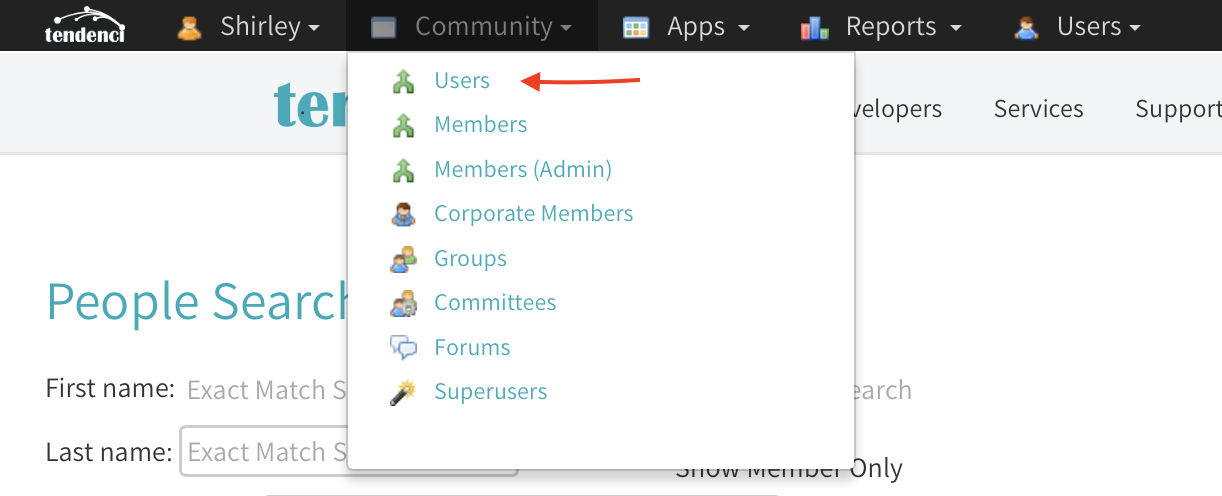
3) In the admin navigation bar under "Community" select "Users"
You will now find "Users" at the top right of the admin navigation bar. Under the Users dropdown menu select "Import"
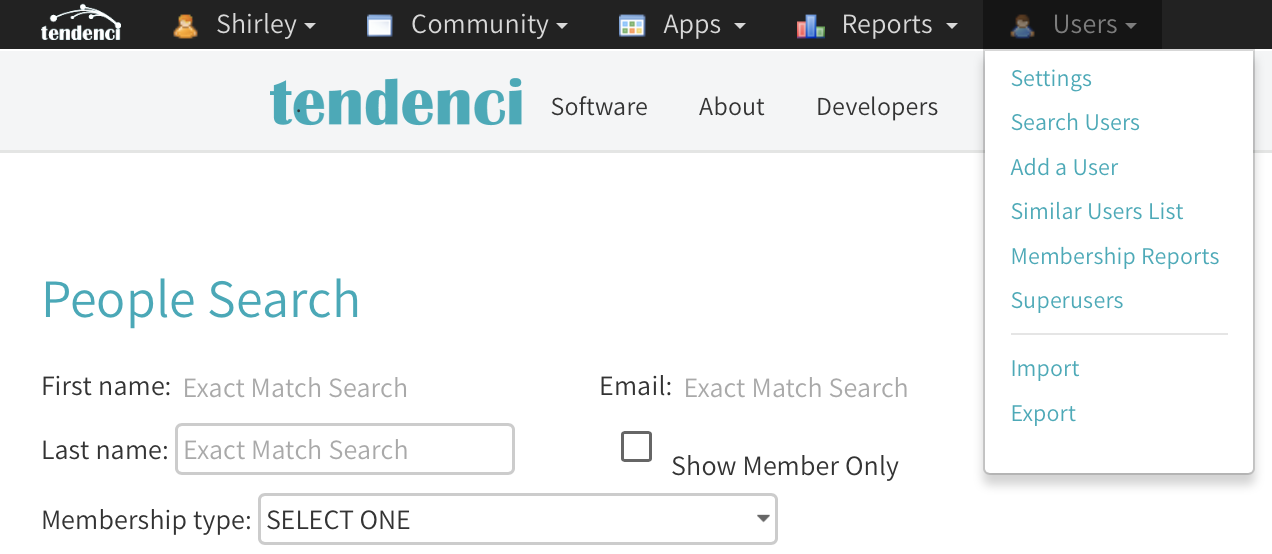
4) For security reasons, the system will ask you to type in your password again.
Click on "Import" and you'll go to the Import page. You'll find the most up-to-date version of our User Import '.CSV' template available to download plus options for uploading and importing your Users.
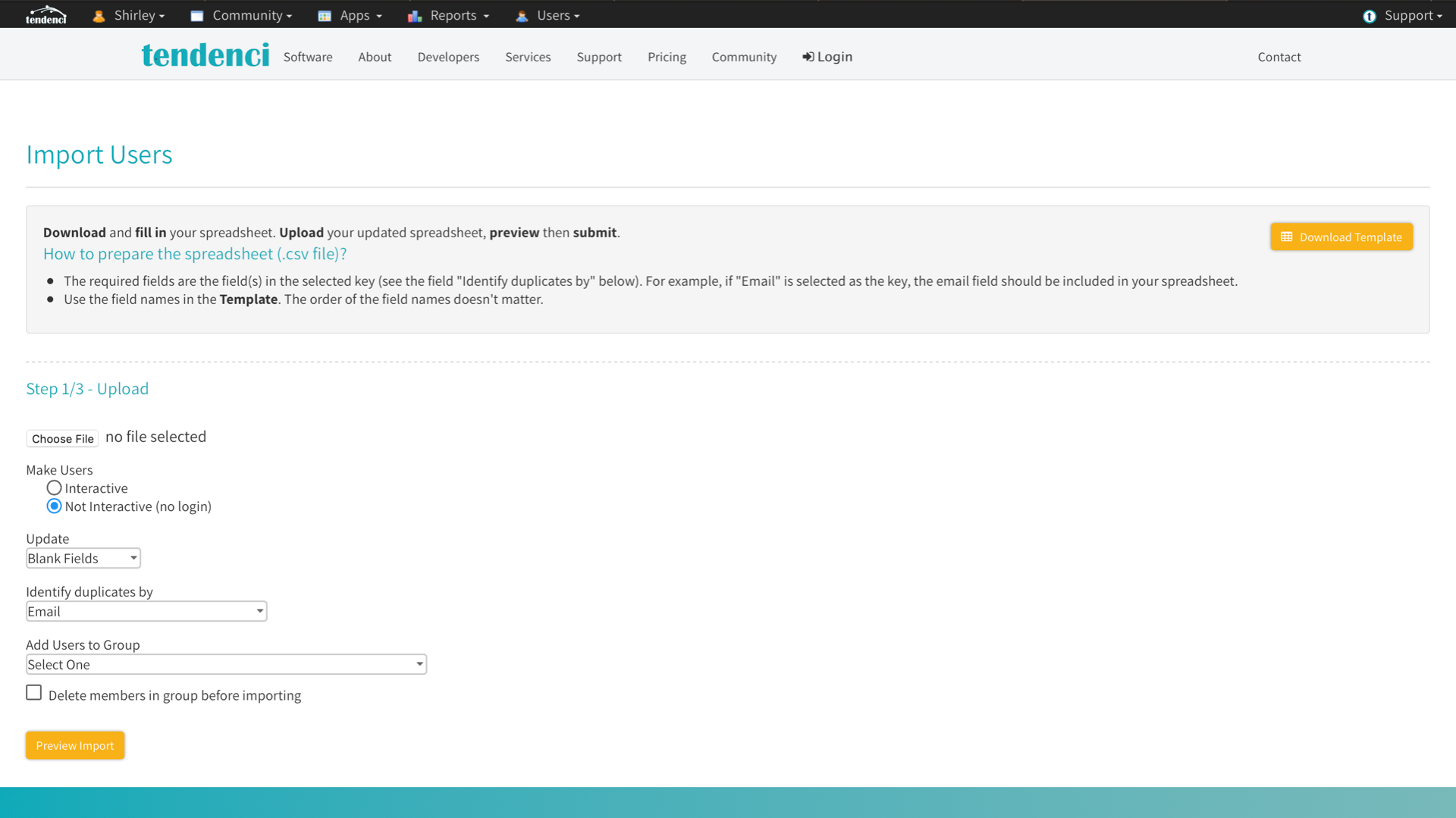
The Import Users Page includes a download-able template and options for managing your User Import
5) Upload your CSV list of Users
Click "Choose File" to browse your computer's files and find the CSV template with your Users. Select the file to import your Import Template CSV or XLS. See How to prepare a user file for import for more information.
6) Choose how to handle the imported users
Before you begin the import, you also have some options to choose from that will determine how Tendenci sets up the new user accounts and profiles. Here's an explanation of your options:
Make Users Interactive/Not Interactive - determines whether or not imported users will be able to log in to your site; check the button next to the option that you want. If you select "Interactive" then your users will have usernames and passwords generated by the software automatically and they'll be able to login.
Update Blank Fields/All Fields - Updating blank fields will only replace information in the user account that is blank or missing. Updating blank fields will not overwrite user account information, and this is useful if you have duplicate users in your batch import that may already have User profiles.
Updating All Fields will overwrite all user account information. If a blank field is inside of the '.CSV' file, the user account information associated with that field will be deleted (removed)
** Note - If you wish to overwrite user account information without deleting user account information, please remove the columns in the' CSV' file that have blank fields (cells). **
Identify Duplicates by - this dropdown menu has options for how you want Tendenci to identify duplicate records during the import. Whatever key you select will automatically make these fields required in your Import Template CSV. For the majority of your imports, you can leave this setting at the default "Email" option.
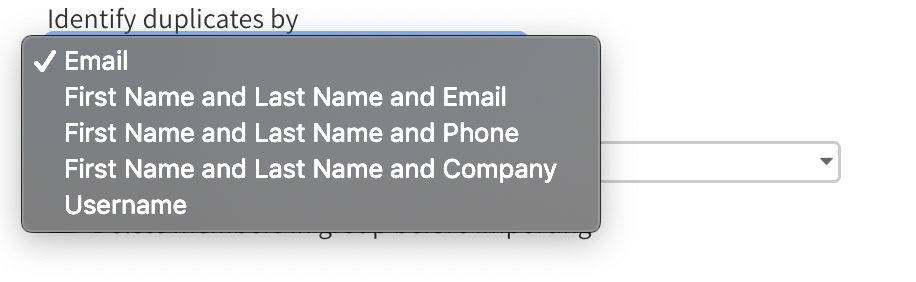
You have several options for Identifying Duplicate Users during the Import
Add users to Group - choose a user group to put these users in from the dropdown menu. This list will automatically include any User Groups that you've created on your website. If you want to import your Users into a new group, we recommend you first create that User Group and then continue with the import.
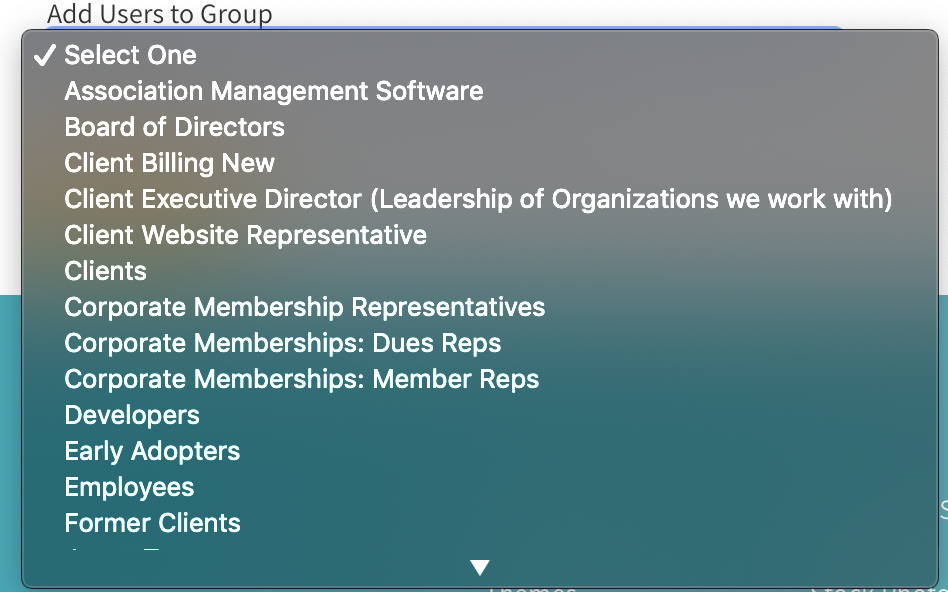
This Example Site has a Number of User Groups to Choose From
Delete Members from Group Before Import - check this box if you want to completely delete all current User Group members before importing Users into the Group. This will completely remove all members of that User Group so be careful!
6) Click Preview Import
On the Preview Import page, review your import. If everything looks OK, click on Import Users to complete the import. Large groups of Users can take several minutes to import so be patient and have a cup of coffee while you wait.